How Smartphone Screening Integrates With DHIS2
An evidence-based look at smartphone screening DHIS2 integration, from offline capture and Tracker workflows to interoperability, governance, and scale-up.
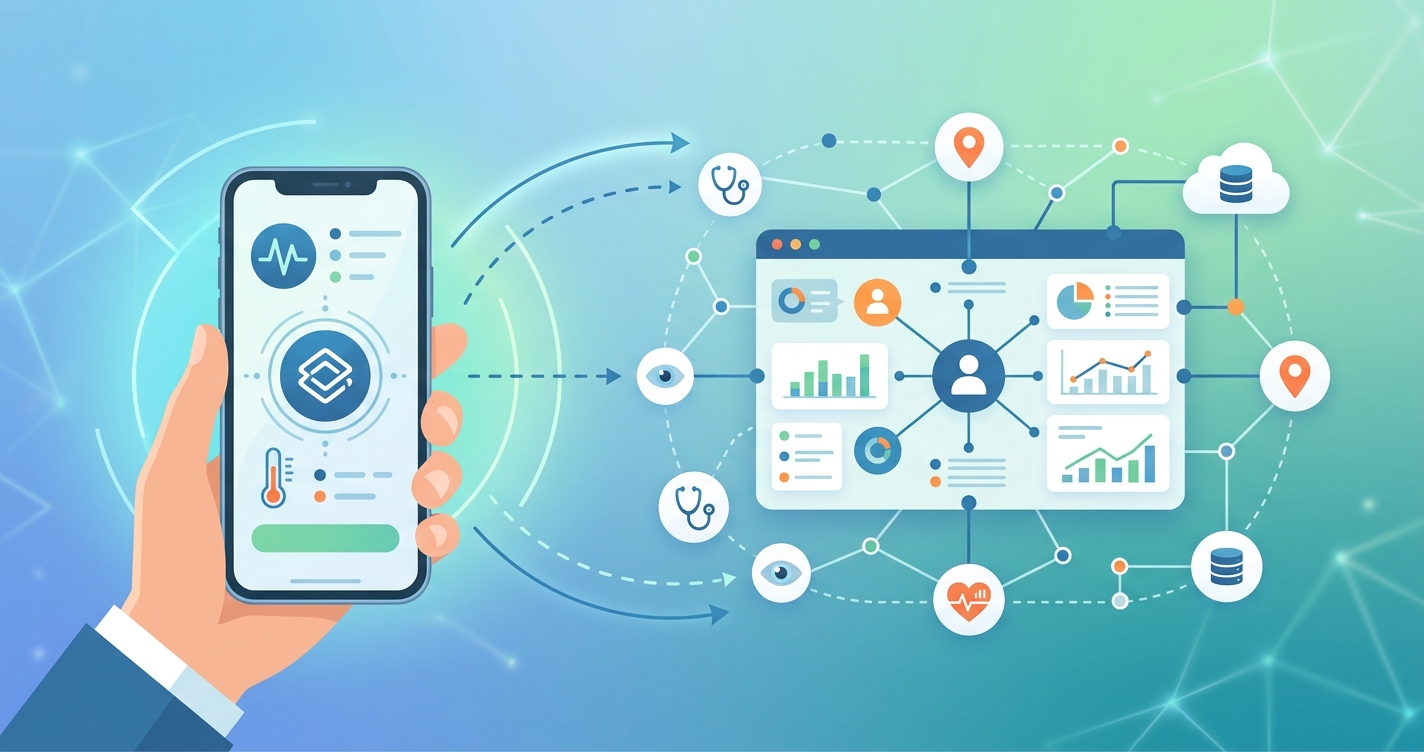
Smartphone screening DHIS2 integration has moved from pilot-stage experimentation to a practical systems question for ministries of health, implementing partners, and digital health platform teams. Once screening begins on a phone in a village, a mobile clinic, or a refugee settlement, the real challenge is not just collecting a pulse, symptom set, or risk score. The harder part is getting that record into the same data architecture that supervisors, district teams, and national programs already use. In many countries, that architecture is DHIS2.
"Digital adaptation kits provide a common language for health program managers, software developers, and implementers." — Bernadette Daelmans and WHO SMART Guidelines collaborators, cited in WHO guidance on digital adaptation kits for antenatal care
Smartphone Screening DHIS2 Integration in Practice
At a technical level, smartphone screening DHIS2 integration usually means connecting three layers: point-of-care data capture on Android devices, a workflow model for individual follow-up, and an interoperability layer that can exchange records with national reporting systems. The HISP Centre at the University of Oslo, which leads DHIS2 development, has spent years building around this exact problem. DHIS2 Capture was designed for frontline workers who need to collect aggregate, event, and Tracker data with poor or intermittent connectivity.
That offline capability matters more than it first appears. The DHIS2 Android App Implementation Guidelines describe a model in which data and metadata are stored locally, then synchronized when a connection returns. For screening programs in low-resource settings, that changes the deployment math. A community health worker can run a hypertension campaign, antenatal screening round, or triage workflow without waiting for live internet access at the moment of care.
The reason DHIS2 fits screening well is its split between event-based and person-based workflows:
- Event programs work for one-off screening encounters, such as a blood pressure check during a community outreach day.
- Tracker programs work for longitudinal follow-up, such as repeat antenatal visits or referral completion after a high-risk screen.
- Aggregate reporting lets districts roll those records into dashboards for coverage, referral rates, and stock planning.
- Mobile capture keeps the workflow close to the frontline instead of forcing later paper transcription.
In practice, most mature deployments do not treat DHIS2 as a simple database. They use it as the operational backbone that connects screening, supervision, referral, and reporting.
Comparison of Common Integration Models
| Dimension | Standalone Screening App | DHIS2-Native Mobile Workflow | Interoperable Hybrid Model |
|---|---|---|---|
| Primary data entry point | Separate app or form tool | DHIS2 Capture on Android | Screening app plus integration layer |
| Best use case | Fast pilots | National programs already using DHIS2 | Programs with specialized screening logic |
| Offline functionality | Varies by vendor | Strong native offline support | Depends on both tools |
| Longitudinal follow-up | Often limited | Strong with Tracker | Strong if mappings are clean |
| National reporting alignment | Manual or delayed | Direct | Strong when FHIR/OpenHIM/OpenFn are in place |
| Implementation burden | Low at pilot stage | Moderate | Highest upfront burden |
| Scale risk | Data silos | Workflow complexity | Interoperability maintenance |
| Typical owner | NGO project team | Ministry + HISP/DHIS2 team | Ministry + implementing partner consortium |
The hybrid model is becoming more common when implementers want advanced smartphone screening features but still need records to land in DHIS2. DHIS2's interoperability work around FHIR and broader integration tooling has made that architecture more realistic than it was a few years ago.
Industry Applications for DHIS2-Connected Screening
Community Health Worker Programs
For community health worker programs, the biggest gain is usually workflow continuity. Screening data collected on a phone can become a follow-up task instead of a dead-end form. DHIS2 Tracker allows teams to assign a person to a program, record repeated events, and monitor whether referrals were completed. That matters in maternal care, hypertension screening, TB triage, and immunization catch-up programs where the first screen is only the start of the care journey.
Digital Square's work on national-scale digital health tools has repeatedly pointed to DHIS2 as one of the most widely used platforms in low- and middle-income countries. That matters for procurement decisions. When a country already runs DHIS2 nationally, integrating smartphone screening into that environment usually makes more sense than creating a parallel registry that someone will eventually need to reconcile.
Antenatal and Maternal Health
Maternal programs are a strong example because they depend on repeated contact. WHO's SMART Guidelines initiative and digital adaptation kits were built to help countries translate guideline logic into deployable digital workflows. In Rwanda and Zambia, researchers writing about ANC digital adaptation described how generic WHO guidance had to be localized into national systems and linked with DHIS2-based implementations. That is exactly the kind of work screening teams face: not just measuring risk, but fitting that risk signal into an actionable registry.
A smartphone-based screening tool can flag symptoms, blood pressure concerns, or referral needs in the field. DHIS2 then becomes the place where the encounter is registered, the follow-up is scheduled, and supervisors can see whether the case moved forward.
Campaign and Outreach Screening
Campaign-style screening has a different profile. Programs may prioritize volume over continuity, especially during immunization drives, NCD outreach days, or school health campaigns. In those cases, event capture often works better than full Tracker enrollment. The advantage of DHIS2 is that a team can still standardize indicators, geographies, and reporting periods rather than collecting data in disconnected spreadsheets.
Current Research and Evidence
Several strands of evidence support the operational case for smartphone screening DHIS2 integration.
First, DHIS2's own Android implementation guidance is explicit about offline-first design. The platform supports local storage, later synchronization, PIN protection, and configurable sync parameters. For low-connectivity environments, that is not a minor feature. It is what makes digital screening feasible outside a hospital campus.
Second, HISP and DHIS2 documentation have consistently framed the Android Capture app as a tool for frontline workers and community-level services. The app supports aggregate, event, and Tracker data models in one interface, which reduces the need for multiple apps in one program. That design choice matters operationally because fragmented mobile stacks are one of the fastest ways to lose adoption among overstretched frontline staff.
Third, WHO's SMART Guidelines work offers a useful policy bridge. Bernadette Daelmans and colleagues have argued that digital adaptation kits help align health managers, implementers, and developers around the same workflow logic. In real deployments, that alignment is often the difference between a smartphone screening pilot and a national program. If the definitions, decision rules, and indicators are not shared, the data may be technically transmitted but still unusable.
Fourth, a 2024 JMIR Medical Informatics paper on SMART Guideline implementation in African pathfinder countries reported that digital adaptation kits helped countries standardize processes while still localizing them to program realities. That finding matters for DHIS2 integration because most ministries do not want a black-box screening tool. They want configurable logic that can match their reporting structures, referral pathways, and terminology.
Key operational lessons show up repeatedly across the literature and implementation guidance:
- Offline capture must be treated as a core design requirement, not an optional feature.
- Screening workflows should decide early whether they are event-based, person-based, or both.
- Data standards matter most at handoff points: referral, case follow-up, and national reporting.
- Interoperability teams need to map identifiers carefully or duplicate records spread quickly.
- Training should focus on workflow decisions, not just button-by-button app navigation.
The Future of Smartphone Screening DHIS2 Integration
The next phase of smartphone screening DHIS2 integration will be less about whether phones can collect the data and more about whether programs can make the data reusable across systems. Three trends are worth watching.
The first is stronger FHIR-based interoperability. DHIS2 has been expanding its interoperability work so that screening tools, registries, and exchange layers can move data with fewer custom bridges. That does not remove implementation work, but it lowers the cost of connecting new tools to a national platform.
The second is smarter use of digital adaptation kits. As more WHO recommendations are translated into software-neutral implementation packages, screening tools should become easier to align with DHIS2 program configurations. That reduces the usual tug-of-war between local customization and national standardization.
The third is the rise of camera-based and sensor-light screening at the edge. In settings where community health workers already carry Android phones, zero-equipment or low-equipment screening can create a much larger screening footprint. But scale only helps if records end up in a system that health managers already trust. For many countries, that still means DHIS2.
That is why the real integration question is organizational as much as technical. A successful deployment needs ministry ownership, HISP or local implementer support, clear metadata governance, and a decision about what belongs in the phone, what belongs in the registry, and what belongs in the interoperability layer.
Frequently Asked Questions
What does smartphone screening DHIS2 integration actually mean?
It usually means screening data collected on a phone is captured directly in DHIS2 or sent into DHIS2 through an interoperability layer. The goal is to make frontline screening records usable for follow-up, supervision, and national reporting.
Is DHIS2 suitable for low-connectivity screening programs?
Yes. DHIS2 Capture was built with offline data collection and later synchronization in mind. That makes it well suited to outreach programs, community health workflows, and facilities with unstable connectivity.
When should programs use Tracker instead of event capture?
Tracker is best when the screened person needs ongoing follow-up, repeated visits, or referral monitoring. Event capture is often enough for one-time outreach encounters where the program is measuring coverage rather than longitudinal care.
Why is interoperability such a big issue in smartphone screening?
Because a screening app is only useful at scale if its records can move into the systems ministries and implementing partners already use. Without interoperability, teams often end up with duplicate databases, delayed reporting, and extra manual reconciliation.
Smartphone screening works best when it feeds the systems that already run national programs. For teams exploring field-ready, low-friction vital-sign workflows, Circadify is building tools for this direction of travel. Learn more through our global health research hub, or continue with related analysis on mobile health in low-resource settings and how community health workers collect vital signs in the field.